
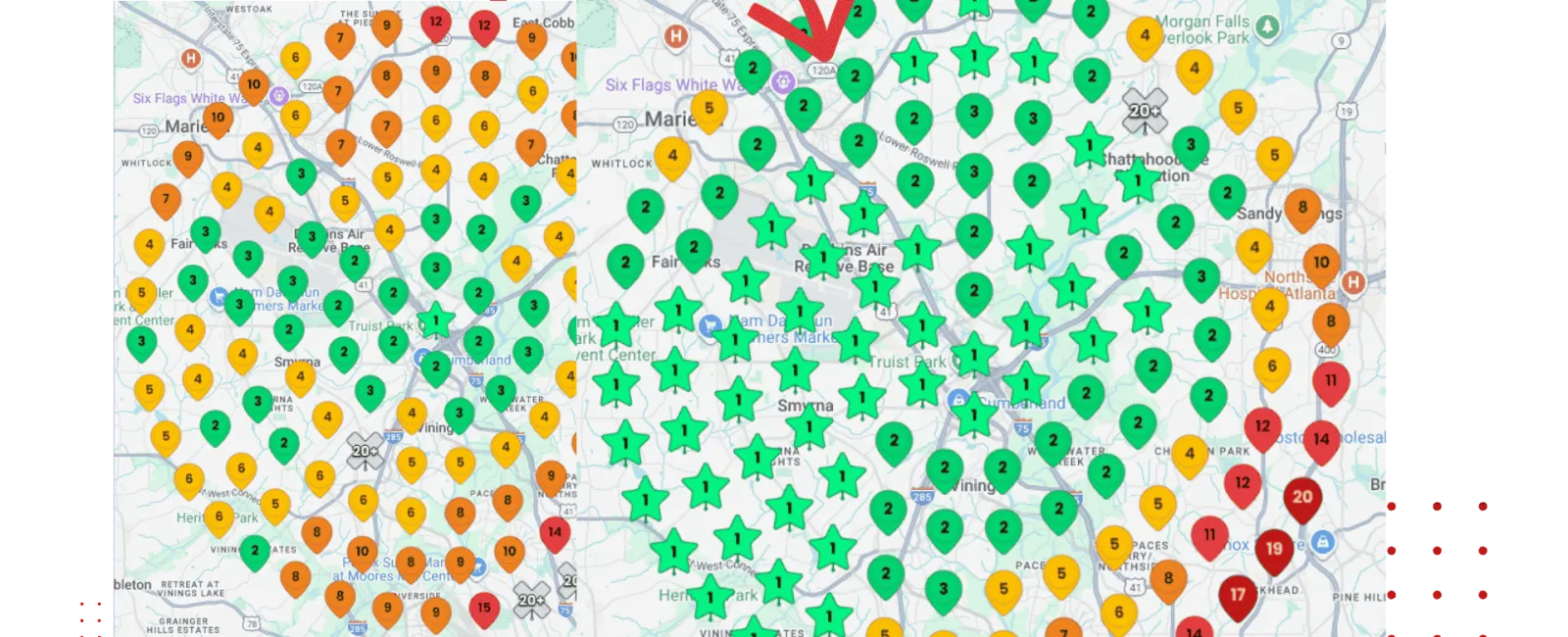
When a homeowner searches for a contractor, the Google Map Pack is the first thing they see. Those three business listings at the top of the results - with the map, reviews, and phone numbers - get the majority of clicks and calls.
If your business isn't in the Map Pack, you're losing leads to contractors who are. Here's how to get there.
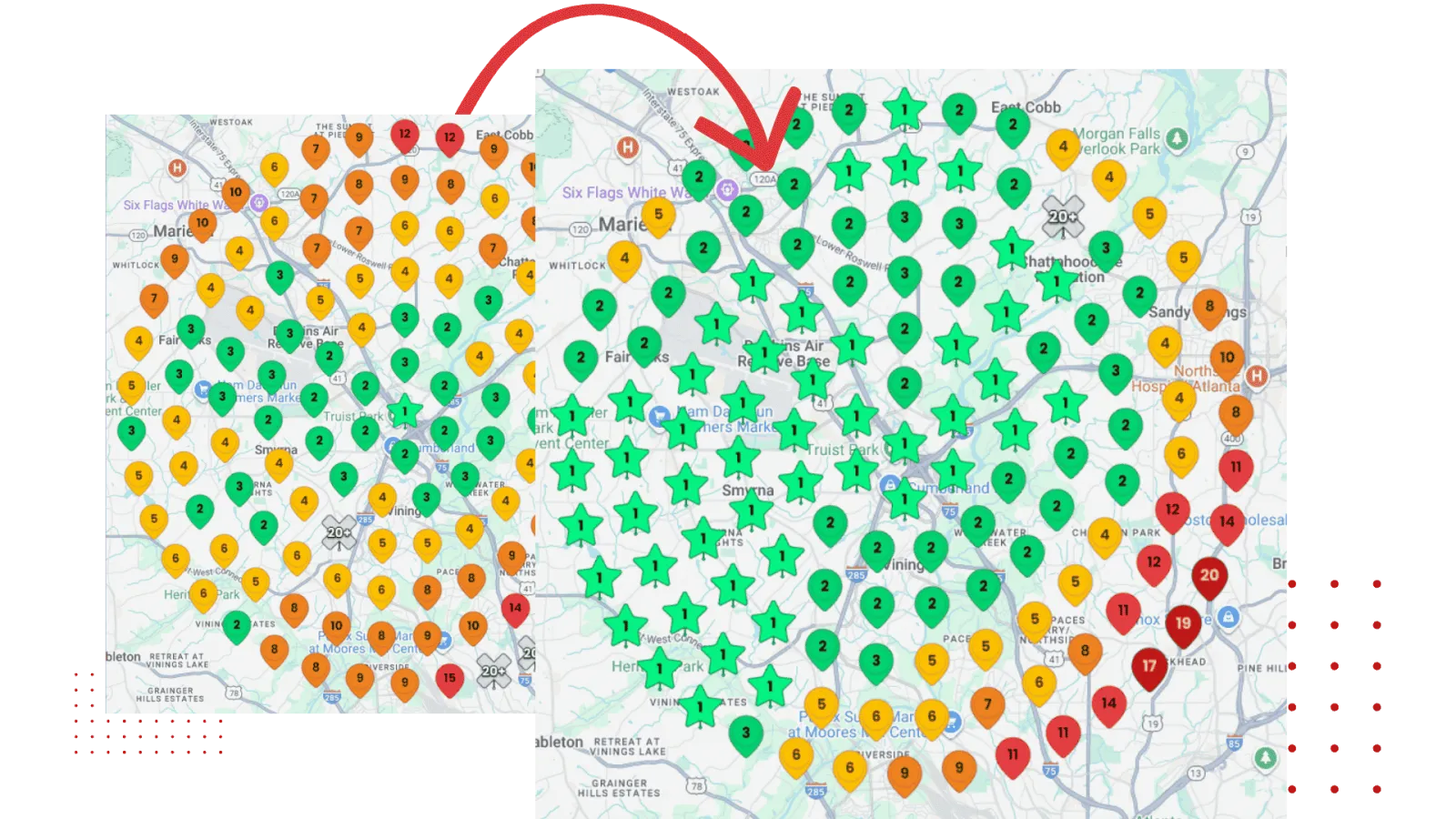
How Google Maps Rankings Work
Google uses three main factors to determine which businesses appear in the Map Pack:
Relevance - How well your business profile matches what someone is searching for. If someone searches "roof repair near me" and your profile lists roofing services, you're relevant.
Distance - How close your business is to the person searching. You can't change your address, but you can optimize for the areas you serve.
Prominence - How well-known and trusted your business is online. This is based on reviews, citations, website authority, and overall online presence.
You can't control distance. But you can absolutely control relevance and prominence.
Step 1: Optimize Your Google Business Profile
Your Google Business Profile (GBP) is the foundation of your Maps ranking. Most contractors set theirs up once and never touch it again. That's a mistake.
Complete optimization means:
- Business name matches your legal business name exactly. Don't stuff keywords in here - Google can penalize you for it.
- Primary category is correct. If you're a roofer, use "Roofing Contractor," not "General Contractor."
- Secondary categories cover your other services. Add things like "Gutter Cleaning Service" or "Siding Contractor."
- Service list includes every service you offer with descriptions.
- Service area covers all the cities and zip codes you work in.
- Business description is complete, includes your main services and service areas, and reads naturally.
- Hours are accurate, including special hours for holidays.
- Photos are uploaded regularly - at least 5-10 new photos per month.
Step 2: Generate Reviews Consistently
Reviews are the single most influential factor for Google Maps rankings. More reviews with higher ratings equals higher visibility.
But it's not just about the total number. Google also looks at:
- Recency. Recent reviews matter more than old ones. You need a steady flow, not a one-time burst.
- Keywords in reviews. When customers mention specific services or locations in their reviews, it helps your relevance. You can't ask customers to include keywords, but naturally happy customers often mention what you did for them.
- Your responses. Responding to reviews - both positive and negative - signals to Google that you're an active, engaged business.
Build a system: ask every customer for a review, send a text link within an hour of job completion, follow up once if needed. Aim for 5-10 new reviews per month.
Step 3: Build Citations Across the Web
A citation is any online mention of your business name, address, and phone number (NAP). Citations tell Google that your business is legitimate and established.
Where to build citations:
- Major directories: Yelp, BBB, Angi, Thumbtack, Nextdoor.
- Industry directories: Houzz, BuildZoom, HomeGuide, Porch.
- Local directories: Your city's chamber of commerce, local business associations, community websites.
- Data aggregators: Foursquare, Data.com, Neustar Localeze.
The critical rule: your NAP must be exactly the same everywhere. Same business name, same address format, same phone number. Even small inconsistencies (like "St" vs. "Street") can hurt your rankings.
Step 4: Optimize Your Website for Local Search
Your website and your Google Business Profile work together. A strong website improves your Maps rankings, and vice versa.
Website elements that support Maps rankings:
- City-specific pages for every area you serve. These pages should include your services in that area, local references, and customer testimonials from that city.
- NAP on every page - usually in the footer. Same format as your Google Business Profile.
- Embedded Google Map on your contact page showing your service area.
- Schema markup that tells Google your business type, location, and services.
- Content that targets local keywords. Blog posts about local topics, cost guides for your city, and answers to location-specific questions.
Step 5: Use Google Posts Weekly
Google Posts are short updates that appear on your Business Profile. They're free, easy to create, and signal to Google that your business is active.
Post ideas:
- Photos from a recently completed job.
- Seasonal tips (winterize your pipes, schedule your AC tune-up, etc.).
- Limited-time promotions or offers.
- New services or expanded service areas.
- Team highlights or community involvement.
Post at least once a week. Each post is visible for seven days, so weekly posting ensures there's always fresh content on your profile.
Step 6: Earn Local Backlinks
Backlinks from local websites tell Google that your business is a trusted part of the local community. These links help both your website rankings and your Maps visibility.
Ways to earn local backlinks:
- Sponsor a local sports team, charity event, or school.
- Get featured in local news for a community project.
- Partner with complementary businesses (roofers partnering with gutter companies, for example).
- Join your local chamber of commerce.
- Contribute to local blogs or publications.
Quality matters more than quantity. One link from a local news site is worth more than dozens of links from irrelevant directories.
Common Mistakes That Kill Your Map Pack Ranking
Avoid these:
- Keyword-stuffing your business name. Google will penalize you. Your business name should match your legal name.
- Using a fake address. Virtual offices and PO boxes violate Google's terms of service.
- Ignoring negative reviews. Unreplied negative reviews hurt you. Address them professionally.
- Inconsistent NAP. If your address is different on your website, Yelp, and Google, it confuses Google's algorithm.
- Neglecting your profile. An inactive profile with no new photos, posts, or reviews will gradually drop in rankings.
How Long Does It Take?
For a contractor in a moderately competitive market, expect to see meaningful improvements in Maps rankings within 2-4 months of consistent effort. In highly competitive markets, it may take 4-6 months.
The key word is consistent. This isn't a one-time project. It's an ongoing process of building reviews, creating content, maintaining citations, and staying active on your profile.
The contractors at the top of Google Maps got there by doing these things consistently over time. There's no shortcut - but the payoff is a steady stream of free, high-quality leads directly from Google.
Need Help Getting to the Top of Google Maps?
RedBrick helps contractors build the Google presence, website, and local SEO strategy that gets them into the Map Pack - and keeps them there. If you're tired of watching competitors sit above you in local search, talk to us at RedBrick.


