

When a homeowner has no heat, a leaking pipe, or a broken gate, they often search on their phone and call from Google. Google Business Profile optimization is how you make that listing accurate, complete, and easy to act on. If you want to know how to optimize your Google Business Profile, start with the details Google already asks you to keep current: your category, hours, services, photos, and reviews.
This checklist is for trade, home service, and manufacturing businesses. It is not a ranking promise. Google says there is no way to request or pay for a better local ranking. Complete, accurate information still helps people find you and call.
What Google Business Profile Optimization Covers
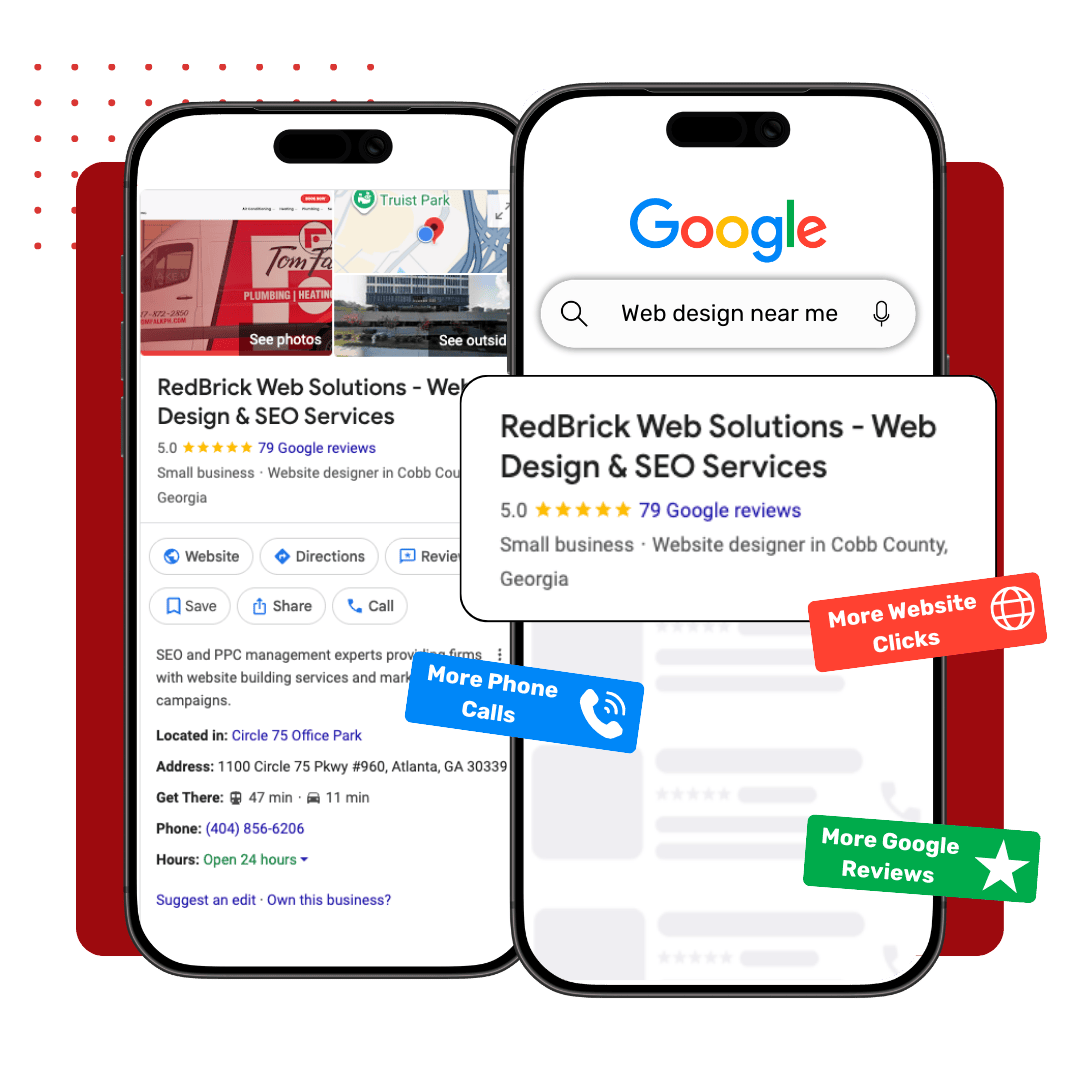
Google Business Profile is the listing that can appear in Search and Maps when someone looks for a business like yours. Optimization means claiming the profile, verifying it, and filling it out so customers can tell what you do, where you work, and how to reach you.
A strong profile supports your website and your SEO services. The profile handles the local listing. Your site still needs to load quickly, show your services, and make it easy to request a job. If the listing is missing, start with our guide on why your Google Business Profile might not be showing up.
Start With a Claimed and Verified Profile
Google says you must add or claim your business and verify your Business Profile to show it on Search, Maps, and other Google services. Some businesses have to verify before they can edit anything. Sign in with the Google Account that manages the profile. If more than one person needs access, add them as a manager instead of sharing a password. After you verify, Google may review edits before they go live.
Get the Basics Right
These fields sound simple. They are also the ones customers use to decide whether to call.
Choose the right categories
Select the category that most closely matches the work you actually do. That first category is your primary category. Google also lets you add up to nine more. Use them for real services you offer, not as a list of keywords. Google’s guidance says not to use categories only as keywords or to describe features of the business.
Set hours, phone numbers, and your website
Set the hours customers can actually reach you. Use special hours for holidays or temporary closures. Add the phone number you want people to call. Google allows a primary number and up to two more. Link the website page that helps a new customer take the next step.
Set service areas and address visibility
If you go to the customer, you are a service-area business. Google says you should hide your street address in that case and list the area you actually serve. If you serve customers at a shop and also travel to jobs, you can show the address and add a service area. The location you show should be staffed during the hours you publish.
You can set up to 20 service areas by city, postal code, or another type of area. You cannot set the area as a radius around your shop. Google also says the overall area should not extend farther than about two hours of driving time from where the business is based. Do not add cities you do not serve. Approved service-area edits can take up to 48 hours to show.
Write a clear business description
Google gives you a short “From the business†description, up to 750 characters. Use it to say what you do, where you work, and how long you have been in business. Do not add URLs or HTML. Google also asks you to focus on the business itself, not promotions, prices, or sales.
Add the Services You Actually Offer
Many service businesses can add services directly on the profile. Google may suggest options for your category. You can also add custom services, then include a description and a price if you want to share one. Name services the way a customer would search, such as water heater repair or AC tune-up. Google says custom service names should not include prices or phone numbers. Put a price in the price field, not in the name. Only list work you actually do.
Use Photos That Show Real Work
Photos help a stranger recognize your trucks, your shop, or a finished job. Google says photos and videos appear only after the profile is verified. They go through review, and it can take up to 24 to 48 hours before they show.
Add a logo, a cover photo, and clear photos of real work. Google recommends JPG or PNG files between 10 KB and 5 MB, with a recommended resolution of 720 by 720 pixels and a minimum of 250 by 250 pixels. Videos can be up to 30 seconds, up to 75 MB, and 720p or higher. Google says the cover photo you choose may not be the first image people see.
Ask for Reviews and Reply to Them
Reviews help customers decide whom to call. Google also says review volume and ratings can play a role in prominence, which is one factor in local results.
Ask after a job is done, when the work is fresh. Never write or buy fake reviews, and never offer a reward for a positive review. That violates Google’s rules and can hurt the profile. Reply to reviews, including the critical ones. Google requires a verified profile before you can reply. Thank the customer and take the conversation off the public thread if needed. For a fuller process, see our guide on how to get more Google reviews for a home service business.
Post Updates So Your Profile Stays Current
Posts let you share updates, offers, and event details on Search and Maps. Google supports Update, Offer, and Event posts. You can add a photo or video and, on many update posts, an action button that sends someone to a page where they can book or learn more.
Do not put an extra phone number in the post text if it is not the number on the profile. Google says posts with a phone number in the description may be rejected if that number cannot be verified as belonging to the business. Posts older than six months are archived unless you set a date range.
How Google Uses This Information in Local Results
Google says local results are based mainly on relevance, distance, and prominence. Relevance is how well the profile matches the search. Distance is how far the business is from the searcher. Prominence is how well-known the business appears to be, including signals such as reviews and links from other websites.
Google also says businesses with complete and accurate information are more likely to show up in local results, and that inaccurate information can keep a profile from showing for relevant searches.
When to Get Help
You can do this work in-house. If the profile is incomplete, suspended, or out of date, or if you want it handled with the rest of your local search work, we can help. See our Google Business Profile optimization service for the work we do on the listing itself. There is no long-term contract, you can cancel with 30 days’ notice, and you own your website.
Frequently Asked Questions
How do I optimize my Google Business Profile?
Claim and verify the listing, then fill in your primary category, hours, phone number, website, services, photos, and service area. Keep that information accurate. Ask for genuine reviews and reply to them.
How long does it take for Google Business Profile changes to show?
It varies. Google reviews many edits before they go live. Photos and videos can take up to 24 to 48 hours. Service-area edits, if approved, can take up to 48 hours.
Should a service business show its street address?
Only if customers can visit that address and the location is staffed during the hours you publish. If you go to the customer, Google says you should hide the address and list the area you serve instead.
Do reviews help my Google Business Profile?
They help customers choose you, and Google lists reviews among the signals that can affect prominence. More reviews and positive ratings can help. They are not a promise of a higher position.
Can I pay Google to rank higher in the map results?
No. Google says there is no way to request or pay for a better local ranking. Paid products like Google Ads or Local Services Ads are separate from the organic local listing.
If you want a second set of eyes on the listing, book a 15â€"20 minute call. We can also start with a free SEO audit of the profile and the pages that should support it. There is no pitch.


